Know who reads. Follow up at the right time.
A quote, a deck, a resume, a sequence: send a Clozer link instead of the attachment, from Gmail, Outlook or in a campaign. See who opens it, what they read and who they forward it to. Clozer writes the follow-up and sends it when the moment is right.
14-day Team trialNo credit cardHosted in EuropeSign-in link by email
You hit send. Then, silence.
The document is out. Did they open it? Forward it to the decision-maker? So you follow up blind: too early and you're a pest, too late and they've signed with someone else.
| PDF attachment | Clozer linkExample | |
|---|---|---|
| Opened? | You don't know | Tuesday, 9:12 AM |
| How far? | You don't know | Pricing read 3 times |
| Forwarded? | You don't know | Opened by a 2nd reader |
| Can they reply? | By email, if they think of it | They approve or book a call in the document |
Three steps. Nothing to install to get started.
- 1/3
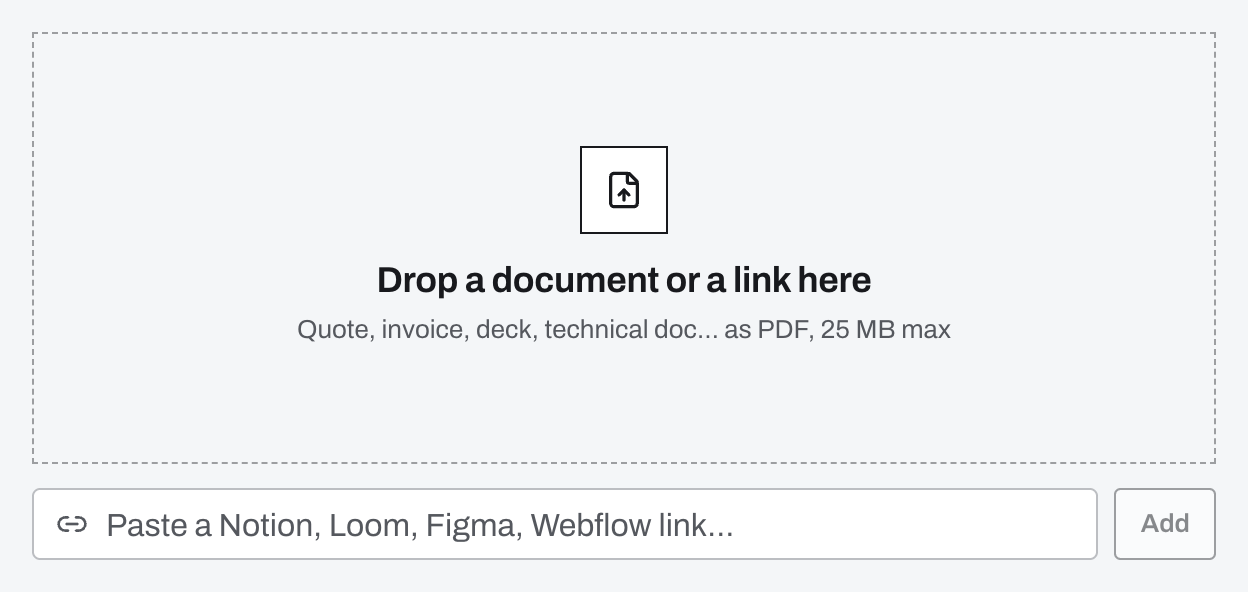
Drop what you're sending.
A PDF, a web page (Notion, Google Slides, Figma…) or a 3-minute video pitch recorded in Clozer.
Real screen, example data - 2/3
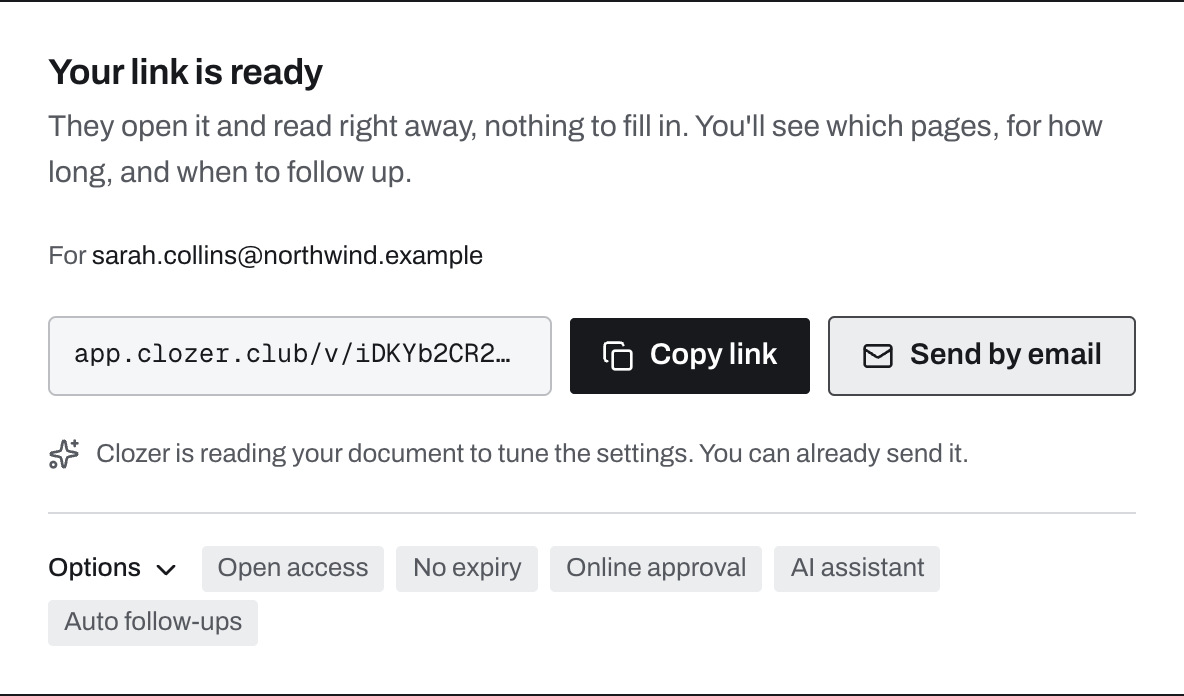
Send the link, from wherever you like.
One link per recipient, always in the name of the person who gets it.
Gmail and Outlook
The Chrome extension, or the Outlook add-in on Windows and Mac, swaps the attachment for a link in the recipient's name and tells you when they read.
Add to ChromeFree, for Gmail and Outlook on the web.
WhatsApp, LinkedIn, SMS
Copy the link, paste it into the conversation. It opens on a phone or a computer, no account needed.
In a campaign
Import your prospects, write the sequence: Clozer sends from your mailbox, one link per prospect. Already on lemlist, Instantly or Apollo? A Smart Link in their sequence does the same thing.
Real screen, example data - 3/3
Let Clozer follow up.
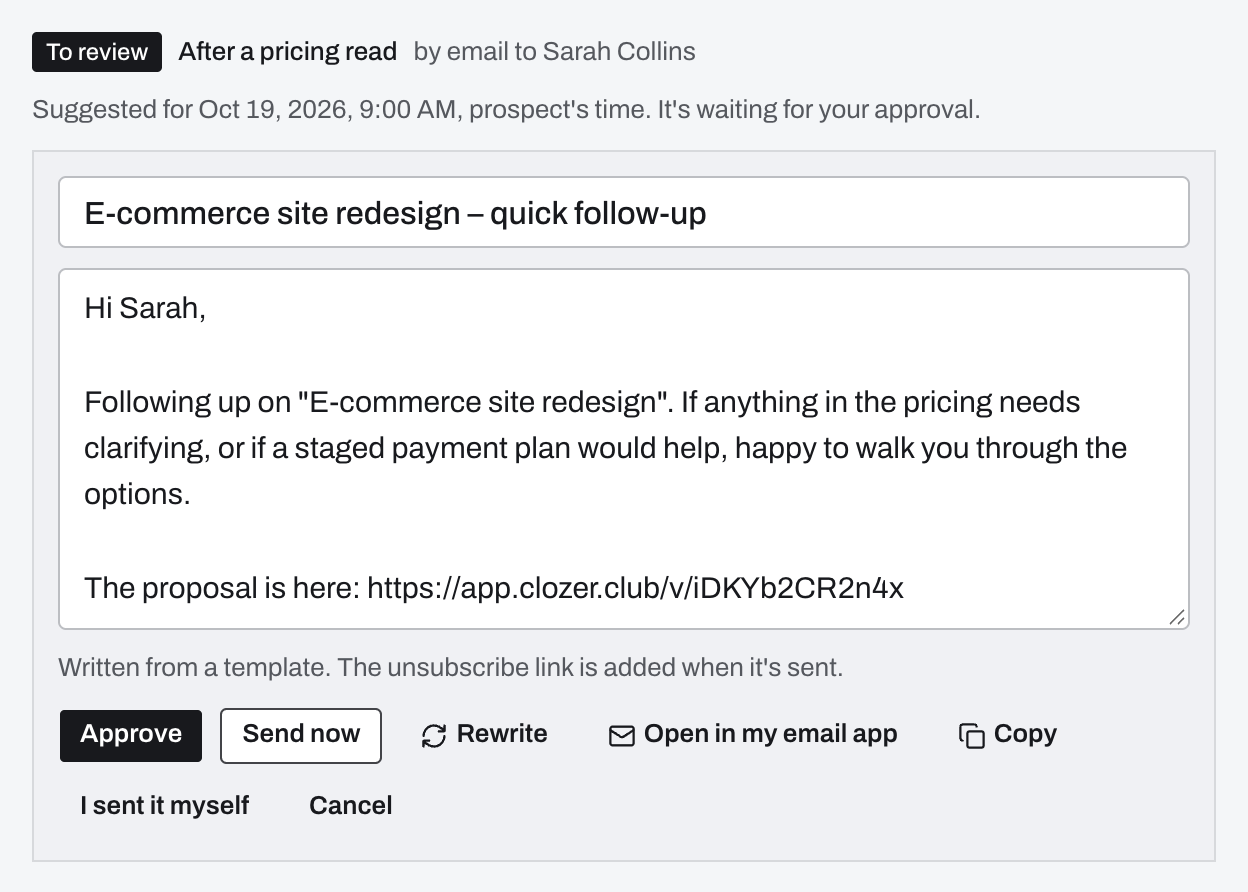
It writes the follow-up from what was read and suggests the time. You approve in one click, or let it send on its own.
Real screen, example data
After you sign up, a guided tour walks you through a first test link.
Create my first linkEverything that happens after you send.
Every page read, every new reader, every part watched again. For you in the morning, and for the manager on Monday.
On a quote, a deck, a web page
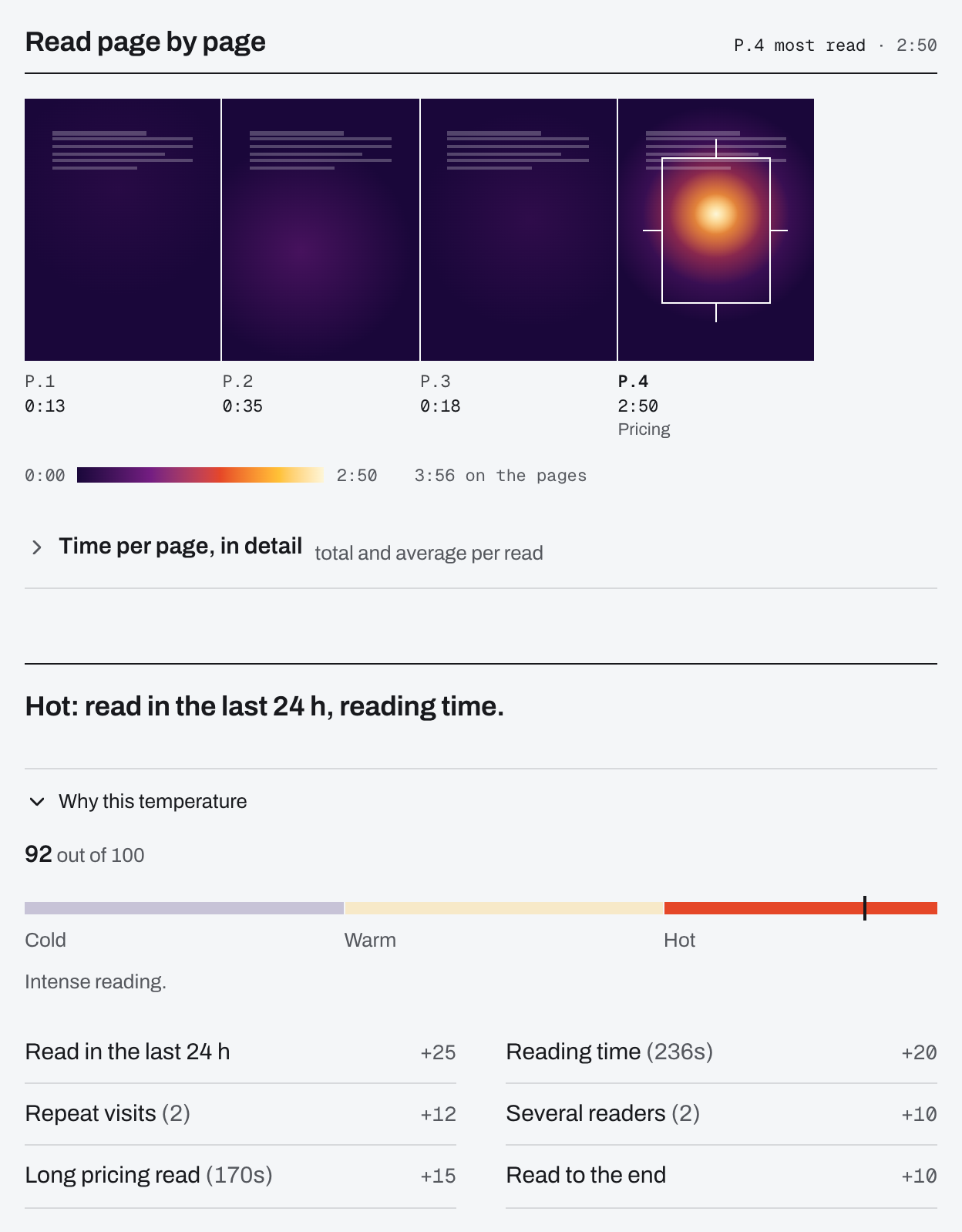
Page by page
How far they got, and which page they stopped on.
Who else reads
Each new reader's name or email, and the pages they read.
An alert when they read
In Chrome, at the top of Gmail and Outlook, or in Slack.
A temperature that explains itself
A score out of 100, every point with its reason.
Your own opens and bots don't count.
Real screen, example data 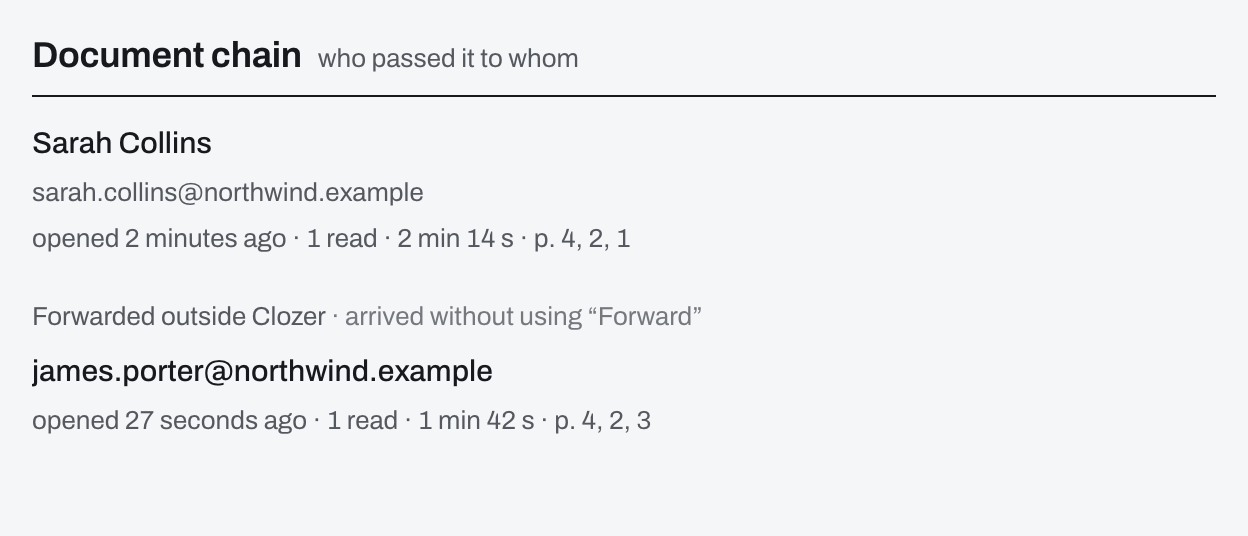
Real screen, example data On a video pitch
Viewing is measured in tenths, and skipped parts don't count. The video is transcribed, so the follow-up knows what you said. A “Request a quote” button tells you when they click it.
On a PDF, you can also pin a 90-second video or voice capsule to a page, to explain your pricing for example.
Example: viewing of a 3-minute video pitch, split into ten parts. The prospect skipped the 3rd part, watched the pricing part twice and stopped at 70%. Across the whole team
The manager sees what's moving, what's slipping and each rep's pipeline, without asking for a report. Team plan.
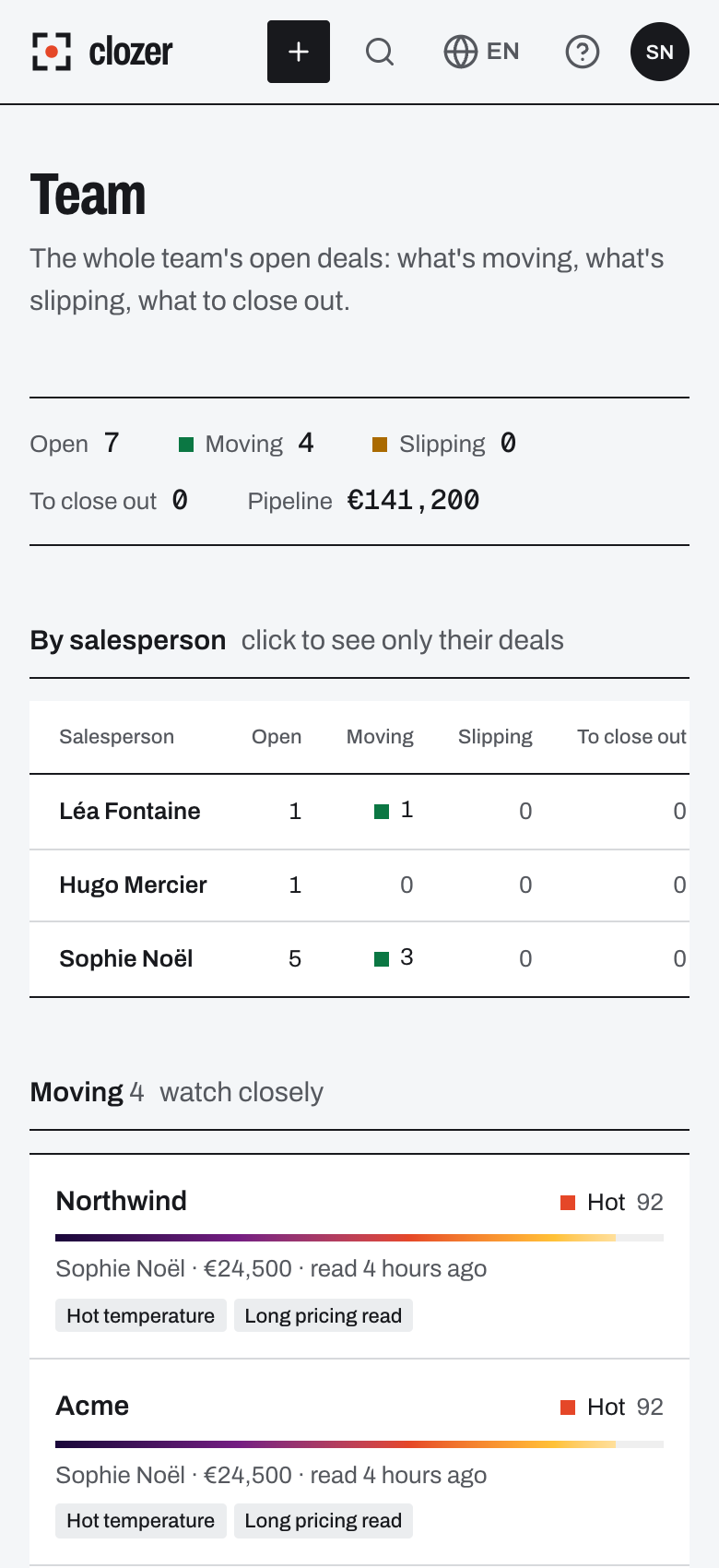
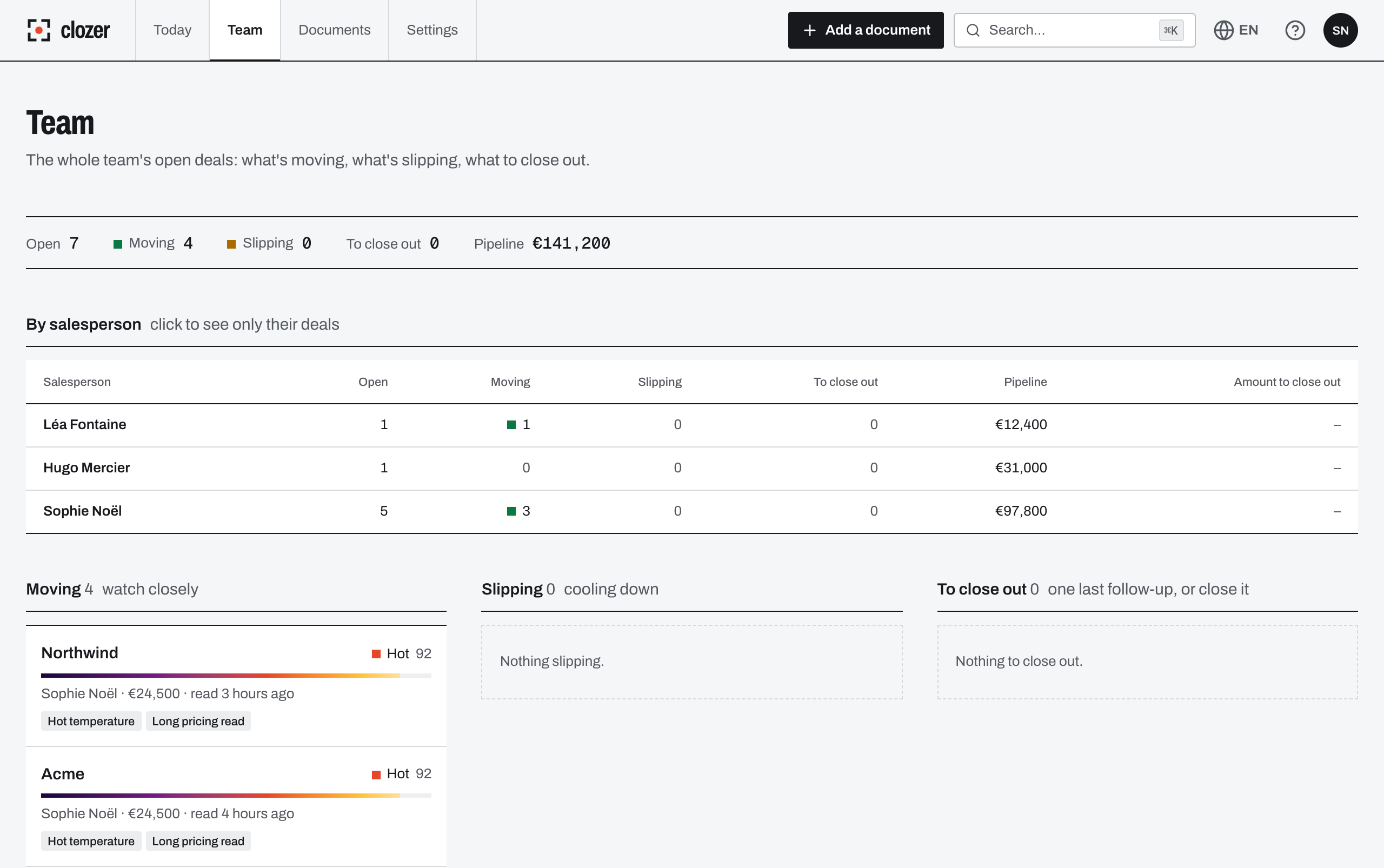
Real screen, example data
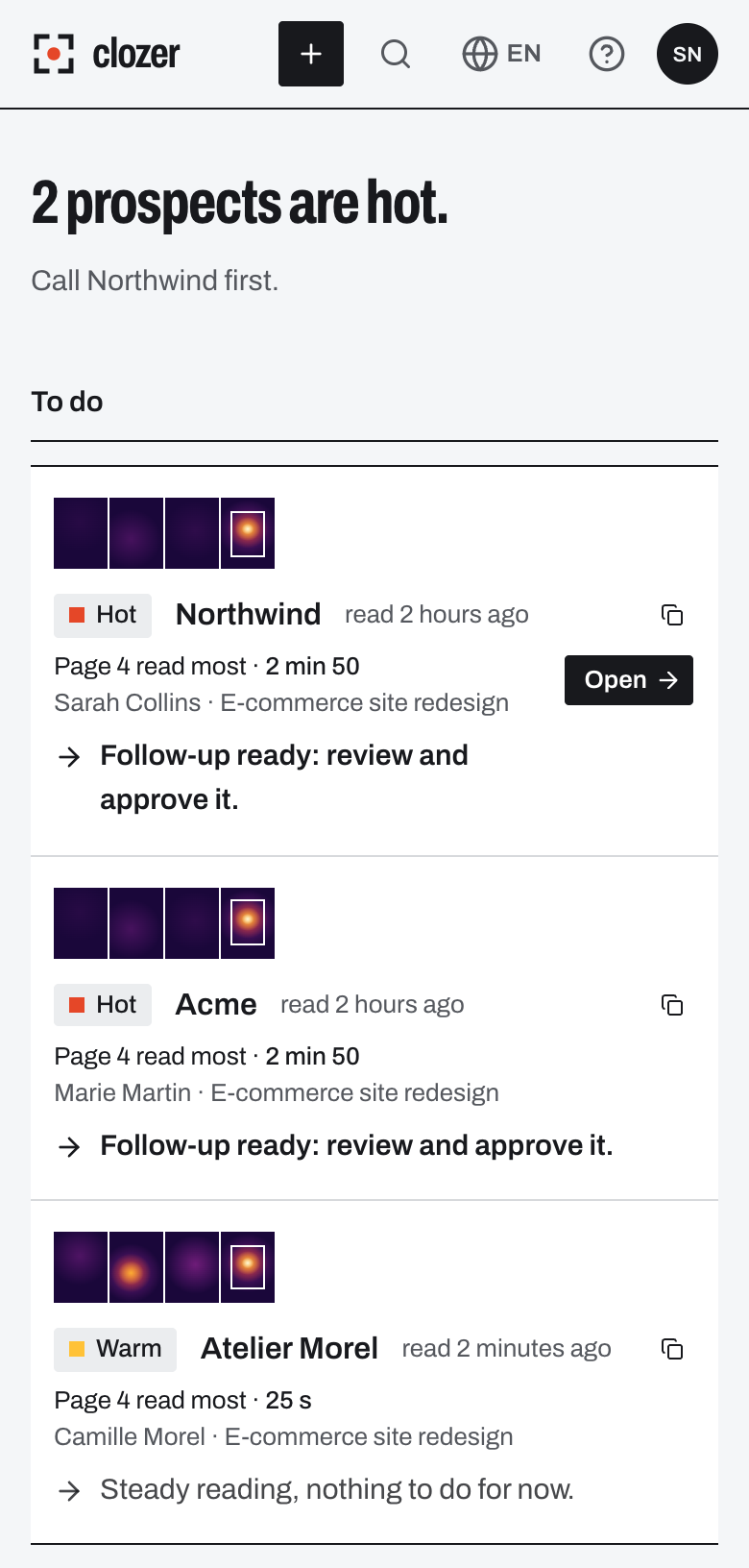
Clozer drafts the follow-up. You approve it.
Every morning, the list of prospects to follow up with. For each one, a message based on what they read.
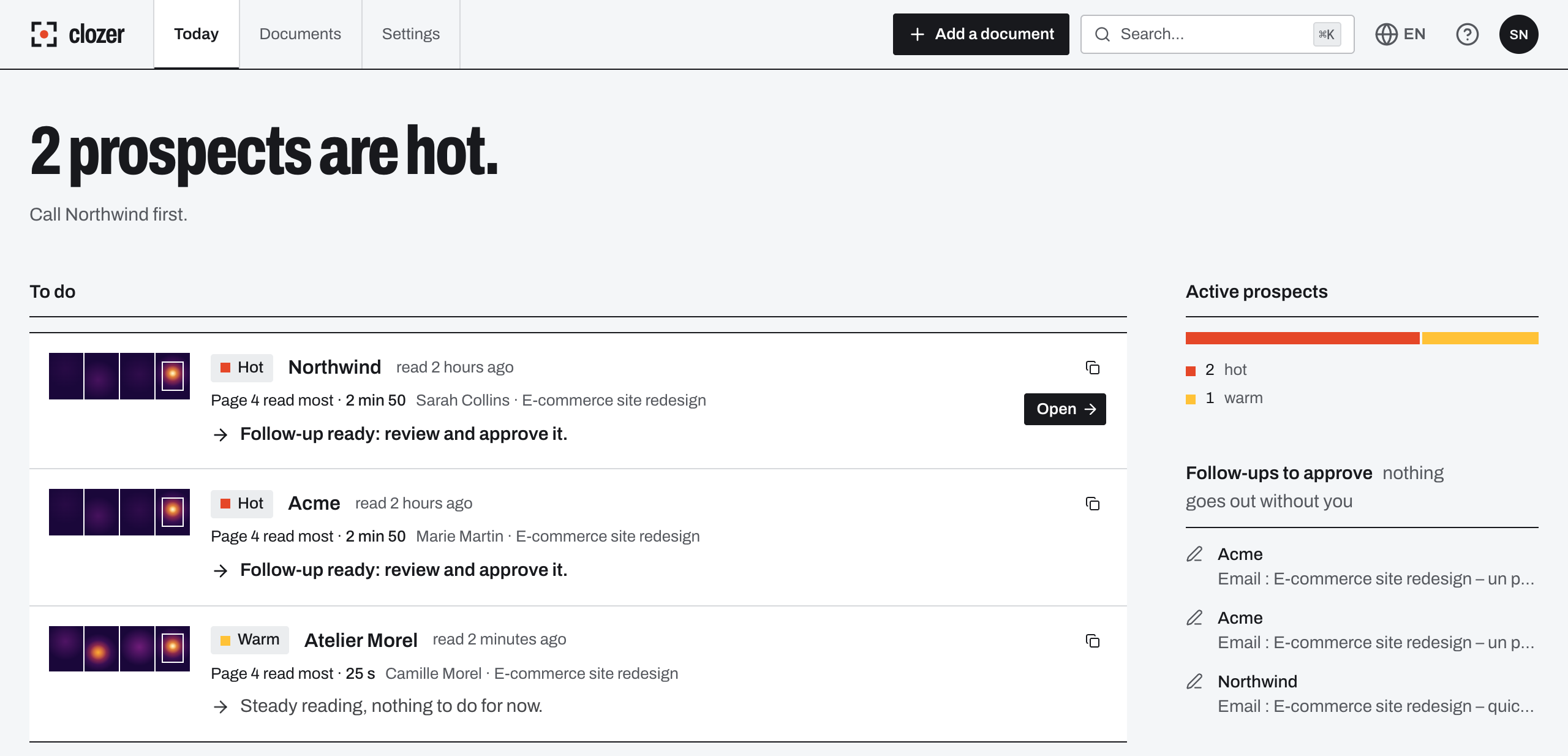
The morning brief
An email every working day, at the hour you choose: who to follow up with and which links are about to expire.
A follow-up that answers what's holding them back
The message starts from what the prospect read and from your offer. It lands on a working day, during office hours, in the prospect's time zone.
Approved in one click, or sent on its own
Switch to automatic mode and simple follow-ups go out without you, like a reminder or an offer to talk.
Delicate cases wait for you
A prospect who wrote to you, a reader who came through a forward, a link never opened. Their follow-up waits for your approval, even in automatic mode.
Prospect at scale. Follow up one by one.
Connect your Gmail, Microsoft 365 or IMAP mailbox, import your prospects, write the sequence. Clozer sends it from your address and changes pace as soon as a prospect reads.
One sequence, up to 8 steps
In the thread or as a new message, with a Clozer link in the step of your choice. Your CSV columns become variables.
Your mailbox, at its own pace
At most 30 emails a day per mailbox, ramping up over the first three weeks, during business hours in the prospect's time zone.
They read the pricing, the sequence stops
Clozer pauses the sequence, alerts you and writes the follow-up on what they read. It leaves from your mailbox, in the same thread. A reply or a bounce stops everything.
Unsubscribe and stop list
An unsubscribe link in every email, a stop list for the whole workspace, and results step by step.
Included in Solo and Team, with a connected mailbox. See pricing
Keeping your sequence tool? Paste a Smart Link into it: every reader is recognized without a form, and a webhook pauses their sequence when Clozer takes over.
Your prospect moves forward without waiting on you.
It all happens inside the document. They approve, ask for a change or book a call, and you hear about it right away.
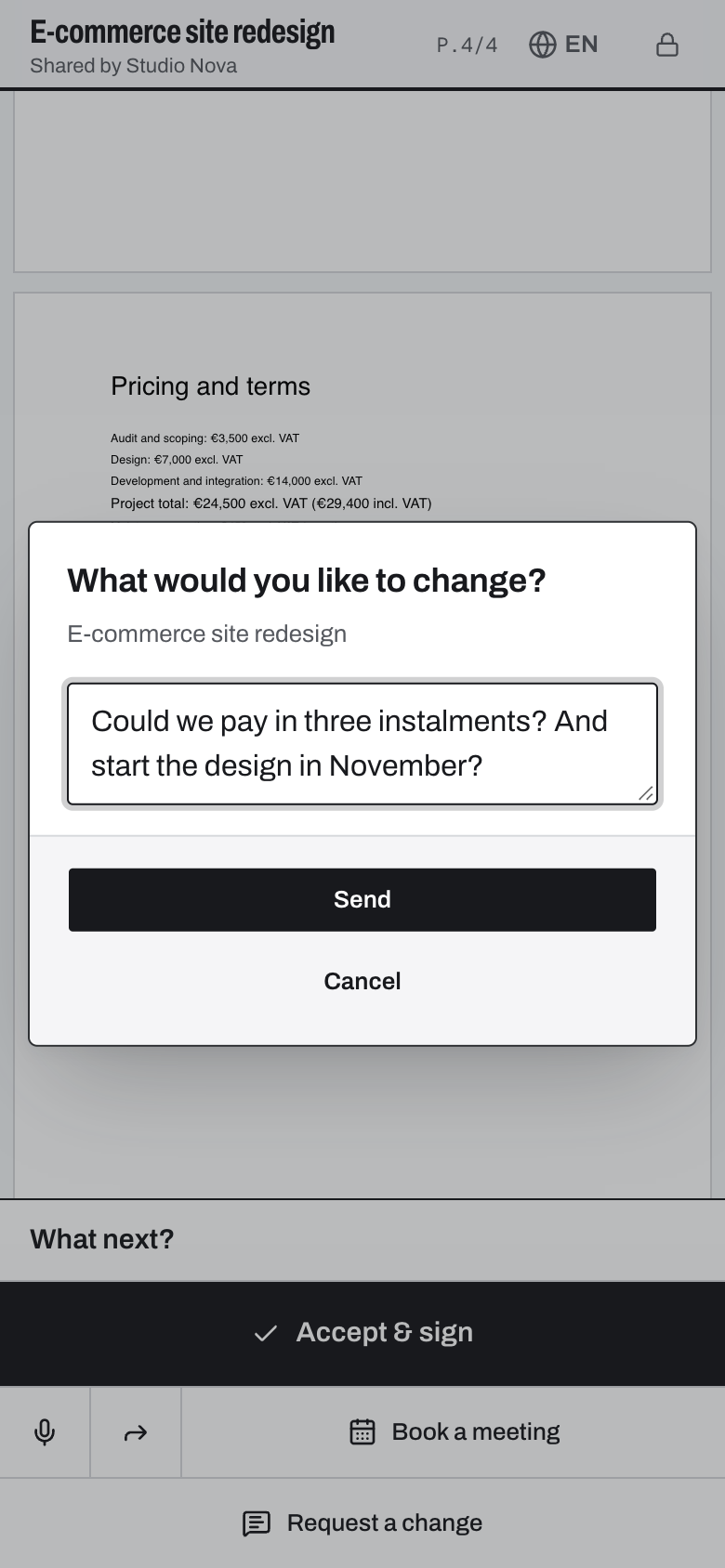
Approve or ask for a change
“Accept & sign” sits at the end of the document. If they want something changed, they write it right there in the document.
Book a call
Your Calendly or Cal.com page opens inside the document. As soon as they book, automatic follow-ups stop.
Ask a question, or leave a voice note
The assistant answers from your proposal and hands over to you when it doesn't know. On any page, the prospect can also leave a one-minute voice note, transcribed for you.
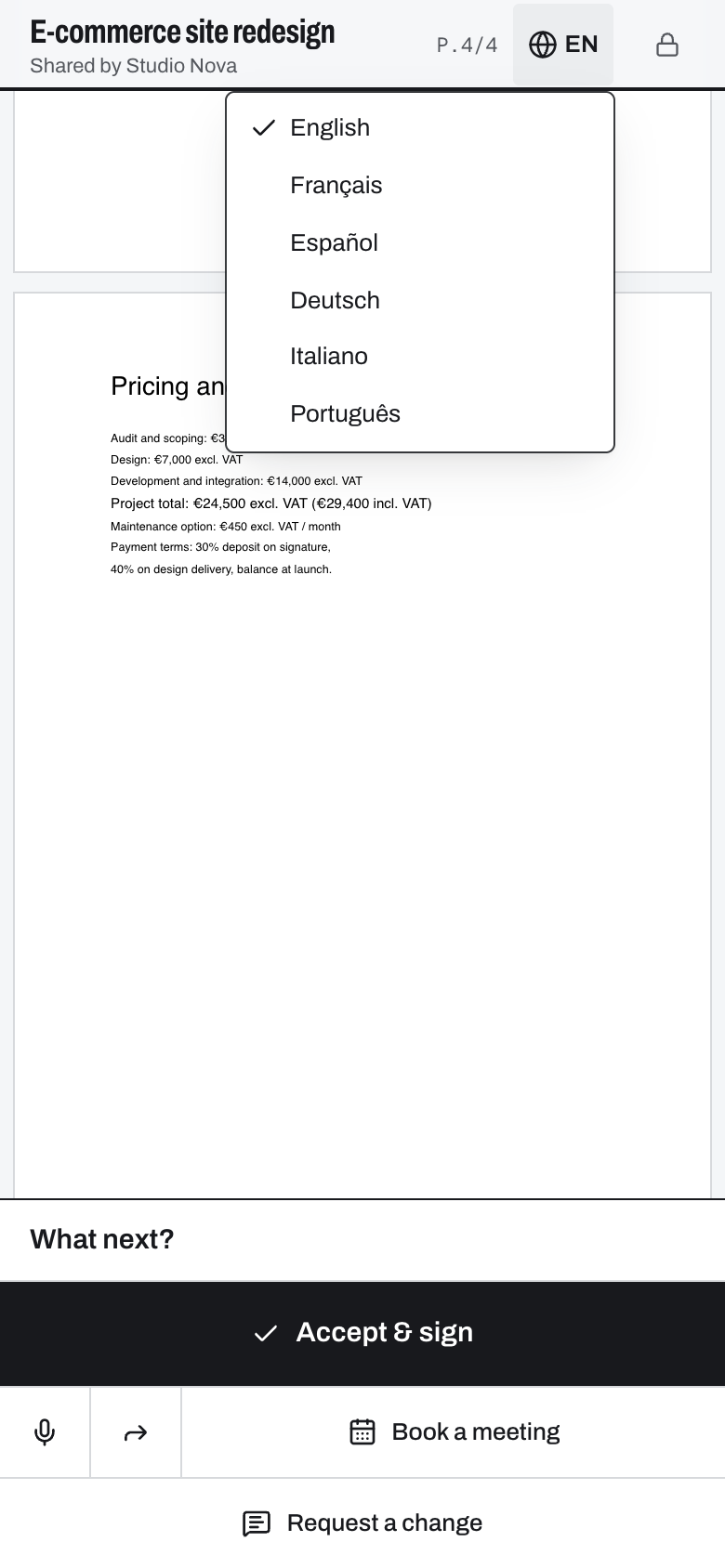
Read it in their language
English, French, Spanish, German, Italian or Portuguese: the PDF is translated with its layout intact.
Tracking without snooping.
Your prospects are your future customers. Heat comes from what they read, page by page.
- The prospect is told, on the page, what you can see.
- Your follow-ups talk about the offer, never about what you saw.
- Three follow-ups per contact over 30 days, max, and never right after a read.
- An unsubscribe link in every follow-up and every campaign email, and IP addresses are never stored in the clear.
- Hosted in Europe, encrypted in transit and at rest.
- Your PDFs have no public address: every opening is checked by our servers.
Free to start.
Then Solo at €19 a month, Team at €39 per member, excl. VAT. 14-day Team trial, no credit card.
Free
€0 · no time limit
5 links a month, follow-ups approved by you
Create my first linkSolo
€19 per month, excl. VAT
Unlimited links and follow-ups, autopilot
Create my first linkTeam
€39 per member per month, excl. VAT
Everything in Solo, Team view, Slack alerts
Create my first linkEnterprise
On quote
Several teams, security, integrations
Write to us
Cold email campaigns included on Solo and Team, with a connected mailbox (one per member on Team).
See full pricingQuestions we get.
Something else? Email us.
Does the prospect have to enter their email to read?
No. A link made for one prospect opens right away, with nothing to fill in. A link shared with several people, like a brochure, asks for the email so you know who's reading. With Smart Link, the address comes from your emailing tool. You can also ask for the email link by link.
Does the prospect know their reading is tracked?
Yes. A clear notice sits on the document page, with a link to our privacy policy. Follow-ups never mention a specific page or reading time.
Do I need to install anything?
No. Sign in with Google or your email, no password, and your prospect reads in their browser. The Gmail and Outlook extension is an optional shortcut.
Does it work with my tools (Gmail, Outlook, CRM, outreach)?
Gmail and Outlook on the web with the Chrome extension, desktop Outlook with the Microsoft 365 add-in, your campaigns from a connected Gmail, Microsoft 365 or IMAP mailbox, and your lemlist, Instantly or Apollo sequences with Smart Link. For your CRM, a webhook sends every alert to the address of your choice.
Does Clozer replace my cold email tool?
It can. Clozer sends your sequences from your own mailbox, at most 30 emails a day per mailbox, and takes over as soon as a prospect reads. If you'd rather keep your tool, keep it: a Smart Link in its sequence is enough, and the webhook pauses the sequence at the right moment.
Do I need a dedicated mailbox for campaigns?
Clozer sends from the mailbox you connect, with a daily cap and a gradual ramp-up that protect its reputation. For sustained outreach, an address on a secondary domain is still the best practice. One mailbox is included in Solo and Team, each extra one costs €9 a month excl. VAT.
Do follow-ups go out on their own?
By default, Clozer writes the follow-up and suggests the day and time to send it; you review it and approve in one click. Later on, you can let it send the simple ones by itself when it's confident. The tricky cases (an objection, a question from the prospect) always wait for you.
Where is my data?
In Europe: application and documents in Paris, database in Frankfurt. Only the text of documents goes to our AI providers, in the United States, without the readers' email or IP address. The Security page explains how we protect it all, the Subprocessors page lists each provider with its country, and the privacy policy says what we collect and why.
Your next send goes out as a tracked link.
14-day Team trialNo credit cardHosted in Europe